
Everything a fixed asset register needs
From the first label to the year-end depreciation schedule, in one system that floor staff and finance can both use.
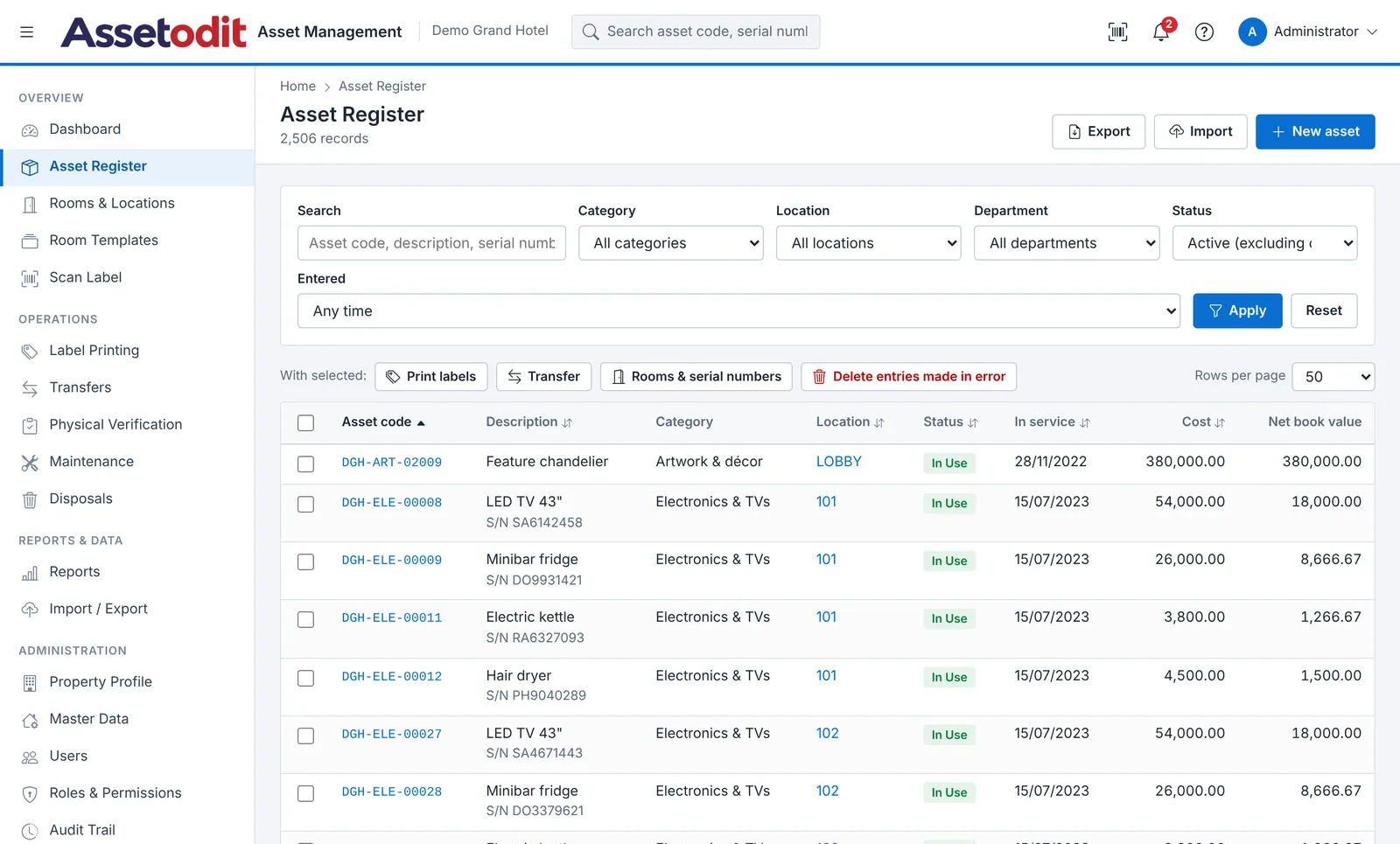
Asset register and tagging
One record for each physical item, with everything you need to identify it, value it and find it.
- Unique asset codes, generated automatically by category, for example DGH-ELE-00735.
- Several identical items at once, enter 8 TVs, give each its own room and serial number in one table.
- Serial numbers kept unique, duplicates are refused before anything is saved.
- Photos, make, model and specification, on every record.
- Supplier, invoice, purchase date and warranty, for each asset.
- Opening register from Excel, with cost, accumulated depreciation and take-on date.
Rooms and locations
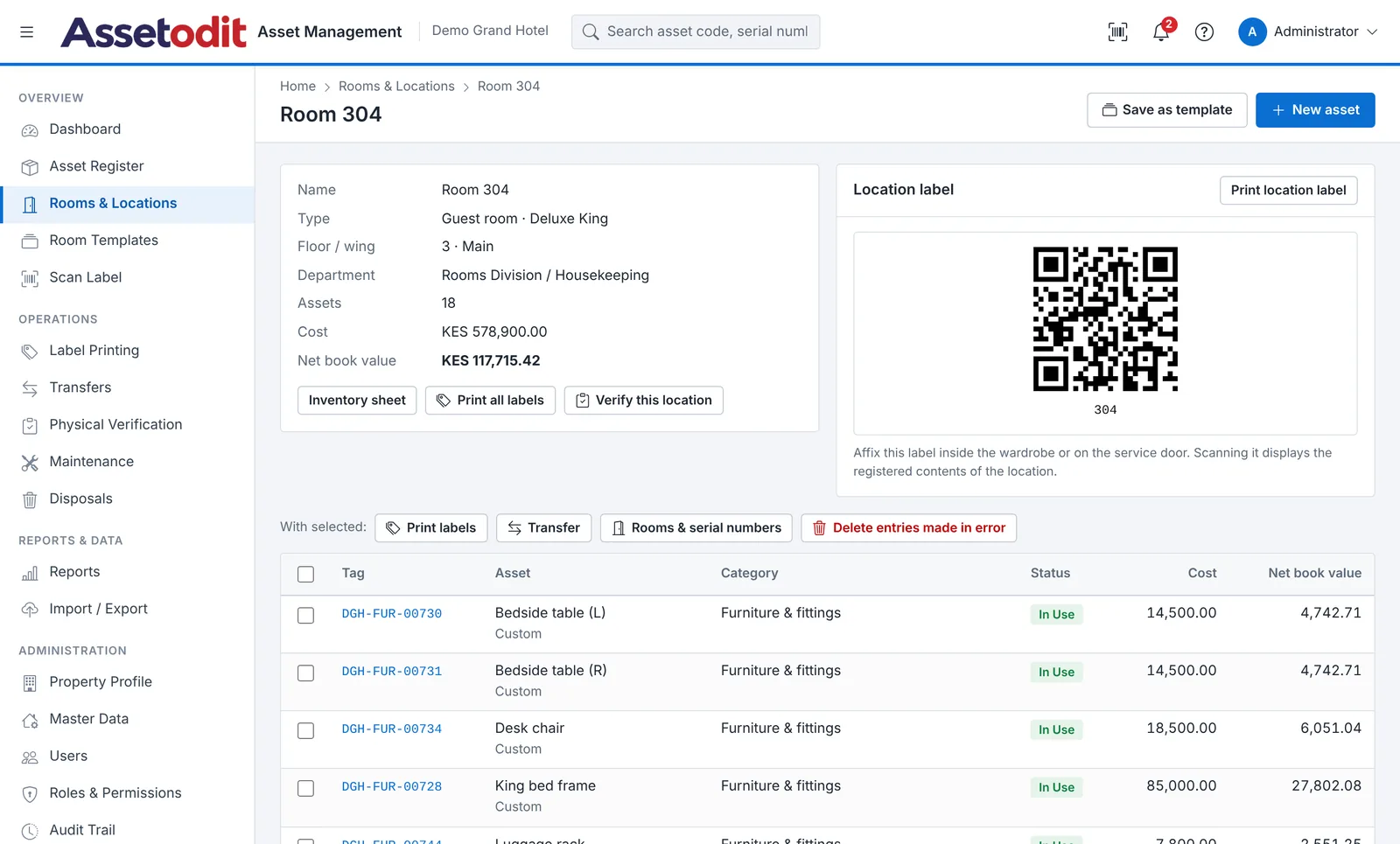
Locations are the backbone of the system: every asset sits in one, and every location has its own list.
- Create many locations at once, type ranges such as 101-120, 201-220 or PH1.
- Location types, rooms, public areas, outlets, back office, stores, offices and outdoor areas.
- Templates, save the contents of a standard room and copy them to new rooms.
- Inventory sheet per location, printable, with codes and book values.
- A QR label for the location, scan it to see what should be there.
- Departments and custodians, so every asset has someone responsible for it.
Labels and scanning
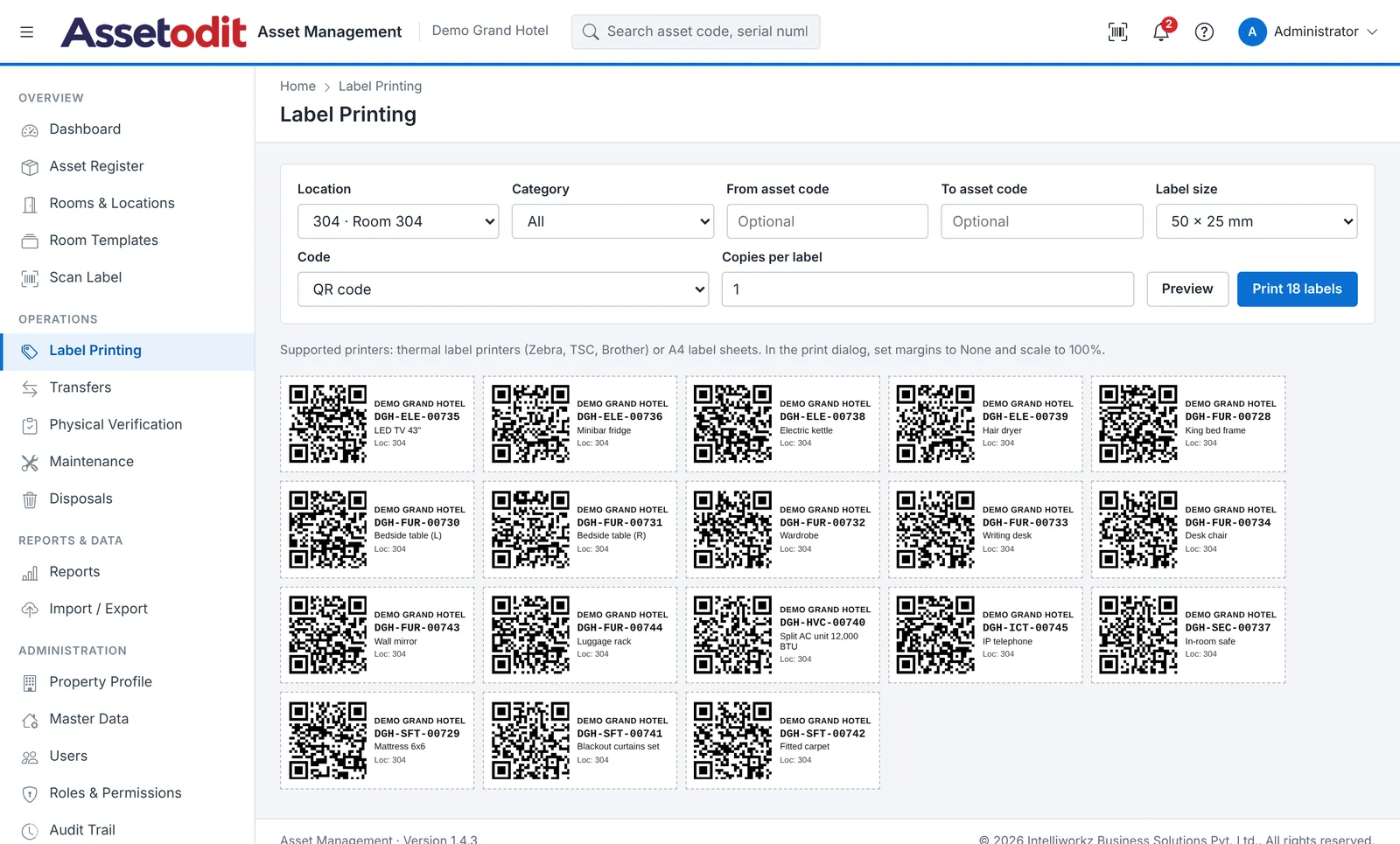
Print labels the way your printer likes them, and scan with the phones staff already carry.
- QR code, barcode or both, with the organisation name, code, description and location.
- Three label sizes, 50 × 25 mm, 38 × 25 mm and 70 × 35 mm.
- Thermal printers or A4 sheets, printed straight from the browser.
- Scan with the phone camera, the QR code opens the record; no app needed.
- Built-in scanner screen, for USB and Bluetooth barcode scanners too.
- Reprint at any time, the asset code never changes.
Physical verification
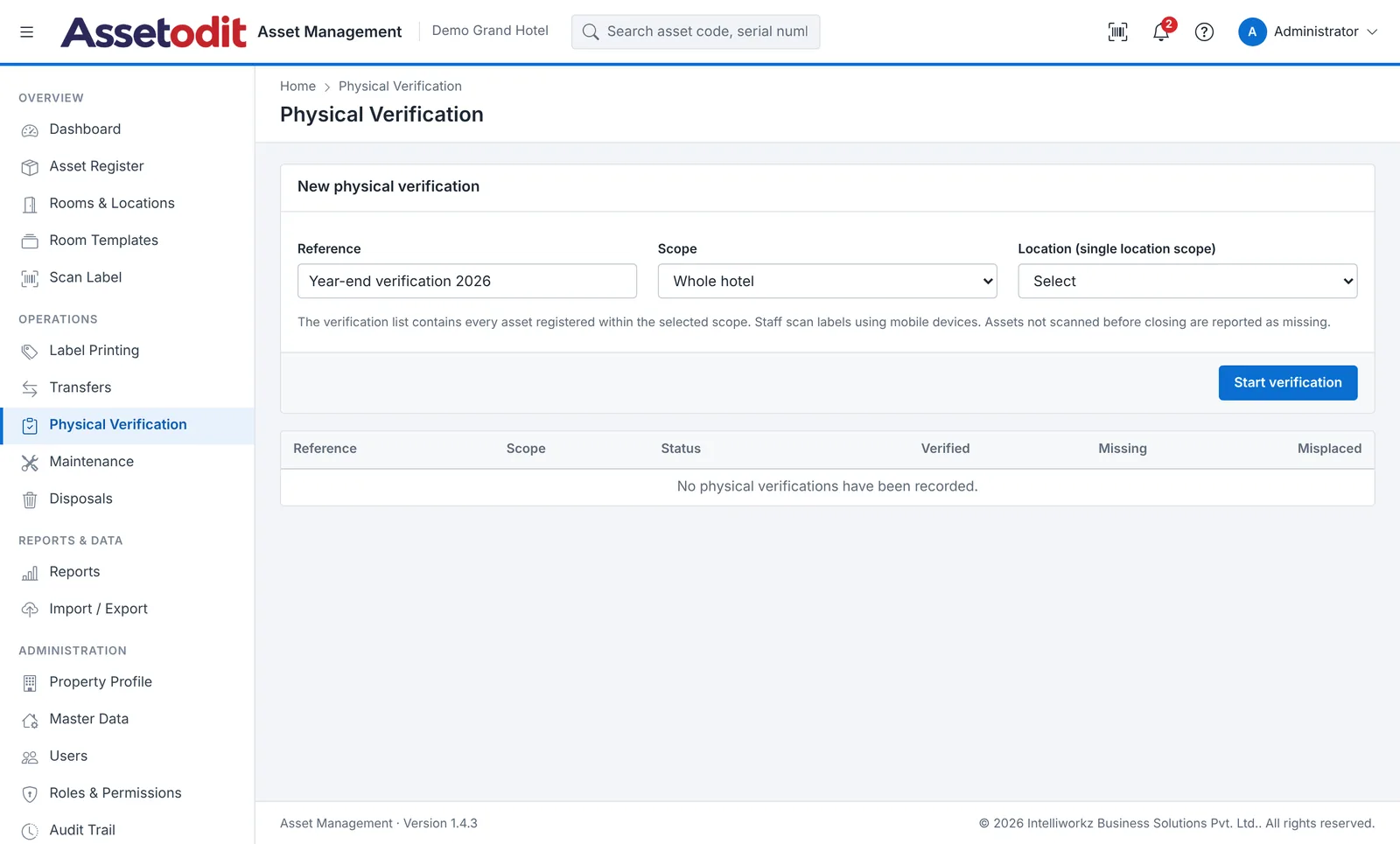
Count assets the way auditors do: location by location, with exceptions listed for you.
- Verification by location or department, scan every label in the room.
- Missing, extra and misplaced items, listed automatically at the end of the count.
- Condition recorded during the count, so damaged items are found early.
- Follow-up actions, transfer misplaced items or mark missing ones in a few clicks.
- Verification history, for every location and every asset.
- Results report, for management and for the external auditors.
Transfers, maintenance and disposals
Everything that happens to an asset after it is bought is recorded against it.
- Transfers, between rooms, departments and custodians, with date and reason.
- Maintenance, preventive, repair, service, inspection and calibration, with cost and next due date.
- Disposals, sold, scrapped, donated or written off, with proceeds and gain or loss.
- Correcting mistakes, entries made in error can be removed with a reason, before they have any history.
- Email alerts, for maintenance due, warranty expiry and other events you choose.
- Asset history, every movement, repair and change on one page.
Depreciation and valuation
Book values that finance can rely on, for any date and any financial year.
- Straight line or reducing balance, per category, with useful life, rate and residual value.
- Exceptions per asset, when one item needs its own life or rate.
- Financial year from any month, with full-month or next-month conventions.
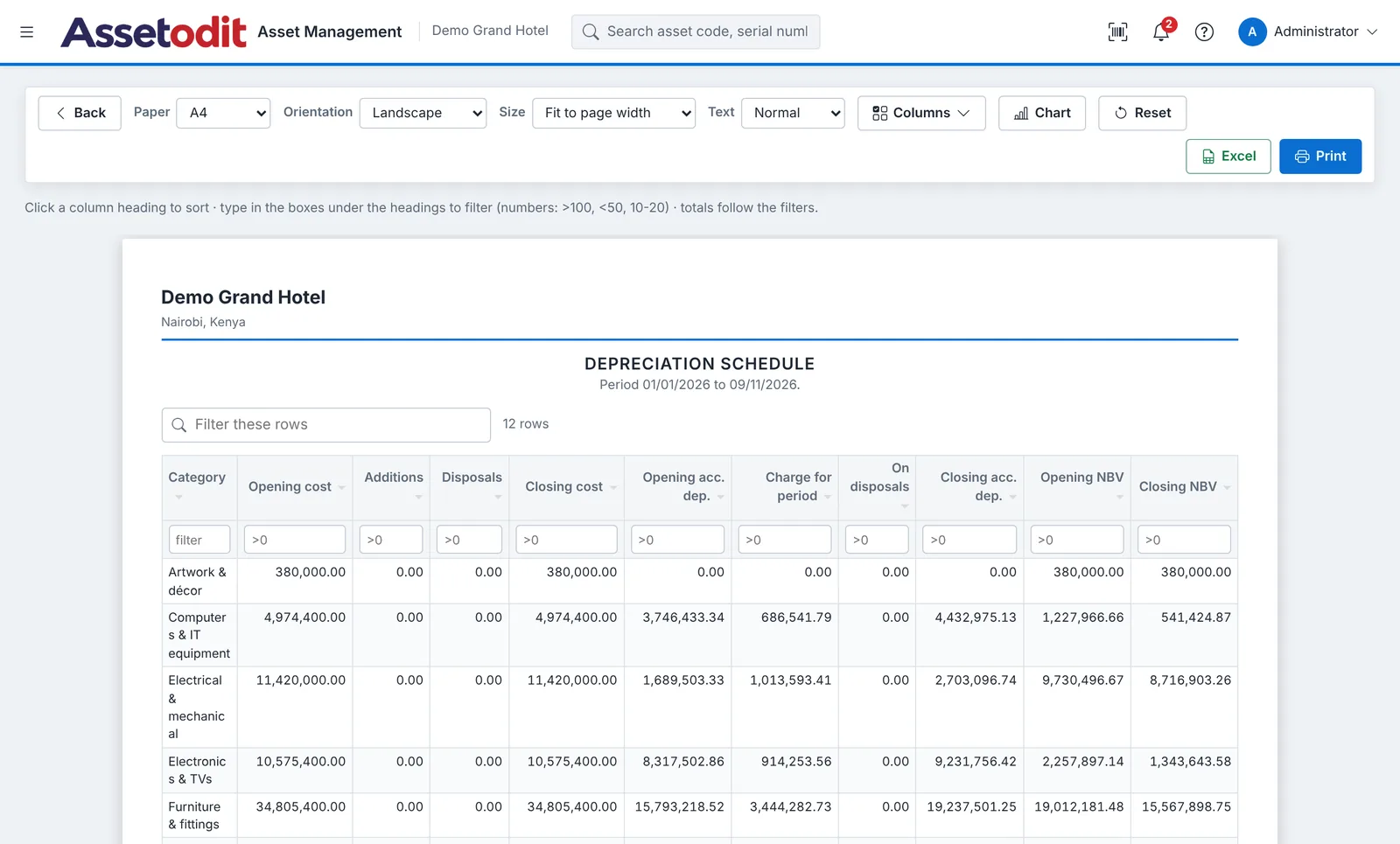
- Depreciation schedule, opening, additions, charge, disposals and closing, by category.
- Fully depreciated assets in use, listed for review.
- Book value at any date, for the whole register, a location or a department.
Reports and exports
Eleven standard reports, each one interactive.
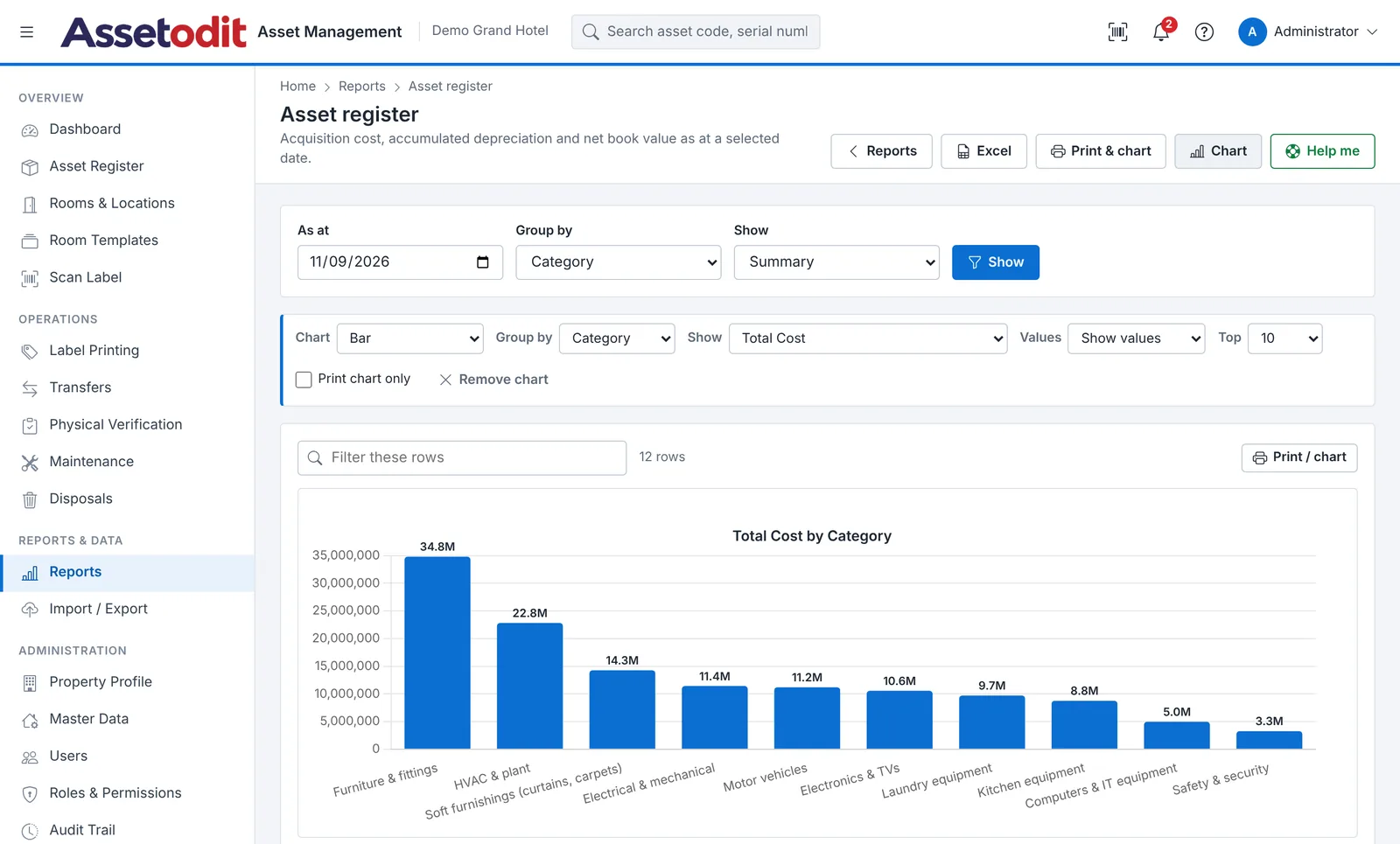
- Filter and sort every column, numbers accept ranges such as 10000-50000.
- Totals follow the filters, so a filtered list always adds up.
- Charts, bar, horizontal bar, line, pie and doughnut, grouped by any column.
- Print view with your letterhead, paper size, orientation and columns of your choice.
- Excel export, of exactly what is on screen, with the filters recorded.
- Dashboard, cost, book value, coverage and items needing attention.
Users, control and audit trail
Controls that make the register trustworthy, without getting in the way of the people using it.
- Roles and permissions, administrator, finance, engineering, housekeeping, storekeeper and viewer, or your own.
- Audit trail, every change with user, time, old value and new value.
- Sign-in protection, lock-out after failed attempts and password rules.
- Dependencies explained, if a record cannot be deleted, the system shows what uses it and what to do.
- Seven colour themes, including dark and high-contrast.
- Your branding, organisation logo, product logo, favicon and currency.
Set-up and help
Designed so that a new user can find their way without a training manual.
- Set-up checklist, property profile, locations, categories, users and labels.
- Help Me on every screen, a guided tour that points to each field, with examples.
- Help Centre, procedures, controls, user roles and answers to common questions.
- Demo data, to train staff before your real register goes in.
- Updates from the browser, upload the new version and apply it from System Update.
- Works on shared hosting, standard cPanel hosting with PHP 8.3 and MySQL.
Try every feature in the demo
Open the live demo, or send us a short note about your site and we will walk you through it.